
Greenpeppersoftware

Deep dives into software, hardware, and the ideas reshaping how we build things.

The Database Performance Lessons That Actually Matter in Your Career

Why Database Performance Skills Define Senior Engineers

After fifteen years of debugging production outages at 3 AM, I can tell you that database performance separates the senior engineers from everyone else. It’s not about knowing every SQL optimization trick or memorizing index types. It’s about understanding that when your application falls over, it’s usually the database choking first.

The Database Performance Lessons That Actually Matter in Your Career

The engineers who get promoted understand this reality. They know that a poorly performing query can take down an entire product launch. They’ve seen million-dollar deals lost because a report took forty-five minutes to run. Most importantly, they’ve learned that database performance isn’t a backend problem or a DBA problem. It’s an engineering problem that touches every layer of your application.

This perspective shift changes everything about how you approach system design. You stop thinking about databases as magical black boxes and start treating them as the critical bottleneck they usually are. That mindset alone will accelerate your career faster than any framework du jour.

Illustration for The Database Performance Lessons That Actually Matter in Your Career

The Performance Fundamentals That Actually Get You Promoted

Indexing strategy reveals more about an engineer’s thinking than any whiteboard interview. I’ve watched countless developers throw indexes at slow queries without understanding the underlying access patterns. The engineers who advance understand that indexes are trade-offs, not free performance wins.

A properly designed composite index can turn a thirty-second query into a fifty-millisecond one. But that same index might slow down your writes by twenty percent. Senior engineers know to measure both sides of this equation. They understand that the order of columns in a composite index matters enormously, and they can explain why without looking it up.

Query analysis becomes second nature when you’ve spent enough time in production systems. You learn to spot the common patterns that destroy performance: the N+1 queries that bring down web applications, the missing WHERE clauses that scan entire tables, the subqueries that could be simple joins. More importantly, you develop intuition for which optimizations matter and which ones are premature.

Connection pooling and transaction management separate the engineers who understand distributed systems from those who just use them. Managing database connections properly prevents the cascading failures that turn small traffic spikes into complete outages. Understanding transaction isolation levels helps you avoid the race conditions that create impossible-to-reproduce bugs.

Reading the Room: When Performance Problems Are Really People Problems

The hardest database performance problems aren’t technical. They’re organizational. That legacy reporting system that takes six hours to run exists because someone made a quick decision three years ago, and now it’s too politically expensive to fix properly.

Learning to navigate these situations builds the soft skills that define engineering leadership. You need to communicate why the current approach won’t scale without making anyone feel stupid. You need to build consensus around technical solutions that require significant engineering investment. You need to translate query execution plans into business impact.

The engineers who advance learn to frame performance problems in terms of user experience and business metrics. They don’t just say “this query is slow.” They say “our checkout flow has a fifteen percent abandonment rate because the payment confirmation takes twelve seconds to load.” That difference in communication gets you the resources to fix things properly.

Database migrations and schema changes reveal how well you understand production systems under pressure. Senior engineers know that altering a large table during business hours can lock up your entire application. They’ve learned to break large migrations into smaller, reversible steps. They understand the cascade effects of schema changes on application code, caching layers, and backup systems.

Building Systems That Don’t Break at 2 AM

Monitoring and alerting separate engineers who maintain systems from those who just build them. You need to understand which database metrics actually predict problems before they happen. CPU utilization spikes are obvious, but connection pool exhaustion, lock wait times, and buffer cache hit ratios tell you much more about system health.

The best database monitoring setups I’ve seen focus on trends rather than absolute numbers. A query that normally takes fifty milliseconds but suddenly takes two hundred milliseconds indicates a problem, even if two hundred milliseconds isn’t objectively slow. Understanding these baseline shifts helps you catch performance degradation before it impacts users.

Capacity planning requires understanding growth patterns that most engineers never consider. User behavior changes seasonally, feature launches create unpredictable load patterns, and database growth rarely scales linearly. The engineers who get promoted anticipate these changes and build systems that gracefully handle unexpected load.

Database backup and recovery strategies reveal how seriously you take production responsibility. It’s not enough to know that backups exist. You need to understand recovery time objectives, test restoration procedures regularly, and know exactly how much data you can afford to lose during different types of failures.

The Career Boost That Comes From Database Expertise

Database performance skills create career opportunities that most engineers never see. Companies desperately need engineers who can diagnose and fix performance problems quickly. The engineer who can walk into a crisis situation and systematically identify bottlenecks becomes indispensable.

This expertise transfers across technologies and industries in ways that framework-specific skills don’t. Whether you’re working with PostgreSQL, MySQL, MongoDB, or DynamoDB, the fundamental principles of performance analysis remain consistent. Understanding data access patterns, identifying bottlenecks, and optimizing for specific workloads applies everywhere.

The debugging methodology you develop from database performance work improves every aspect of your engineering thinking. You learn to form hypotheses, test them systematically, and measure results objectively. You develop patience for complex problems that require careful analysis rather than quick fixes.

What specific database performance challenges are you wrestling with in your current role? The problems that keep you up at night often contain the seeds of your next career breakthrough.


Why Event Sourcing Will Outlive Your Current Database Strategy

The Postgres Migration That Changed Everything

Three years ago, I watched a team spend eight months migrating their user management system from MongoDB to PostgreSQL. They had all the right reasons. Better consistency guarantees. Mature tooling. A DBA who actually understood relational theory. The migration went smoothly until they realized they’d lost something critical: the ability to answer “why did this user’s permissions change last Tuesday?”

This wasn’t a failure of planning. It was a failure to recognize that data storage and data meaning operate on different timescales. Your database choice might change every few years, but the questions your business asks about state transitions remain constant. This distinction is driving a fundamental shift in how we think about distributed system persistence patterns.

Event Sourcing as Infrastructure, Not Feature

Event sourcing isn’t new, but its role is changing from application pattern to infrastructure primitive. Instead of storing current state, you store the sequence of events that led to that state. When Uber needs to reconstruct a ride’s pricing calculation from six months ago, they’re not querying a rides table. They’re replaying the sequence of location updates, surge multipliers, and promotional codes that generated the final fare.

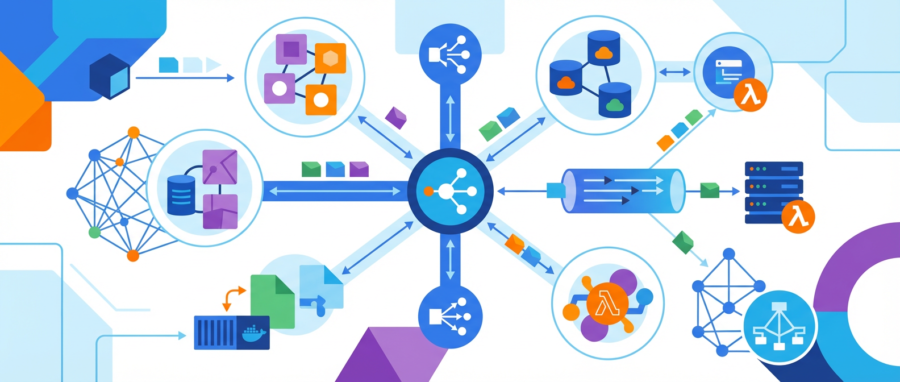
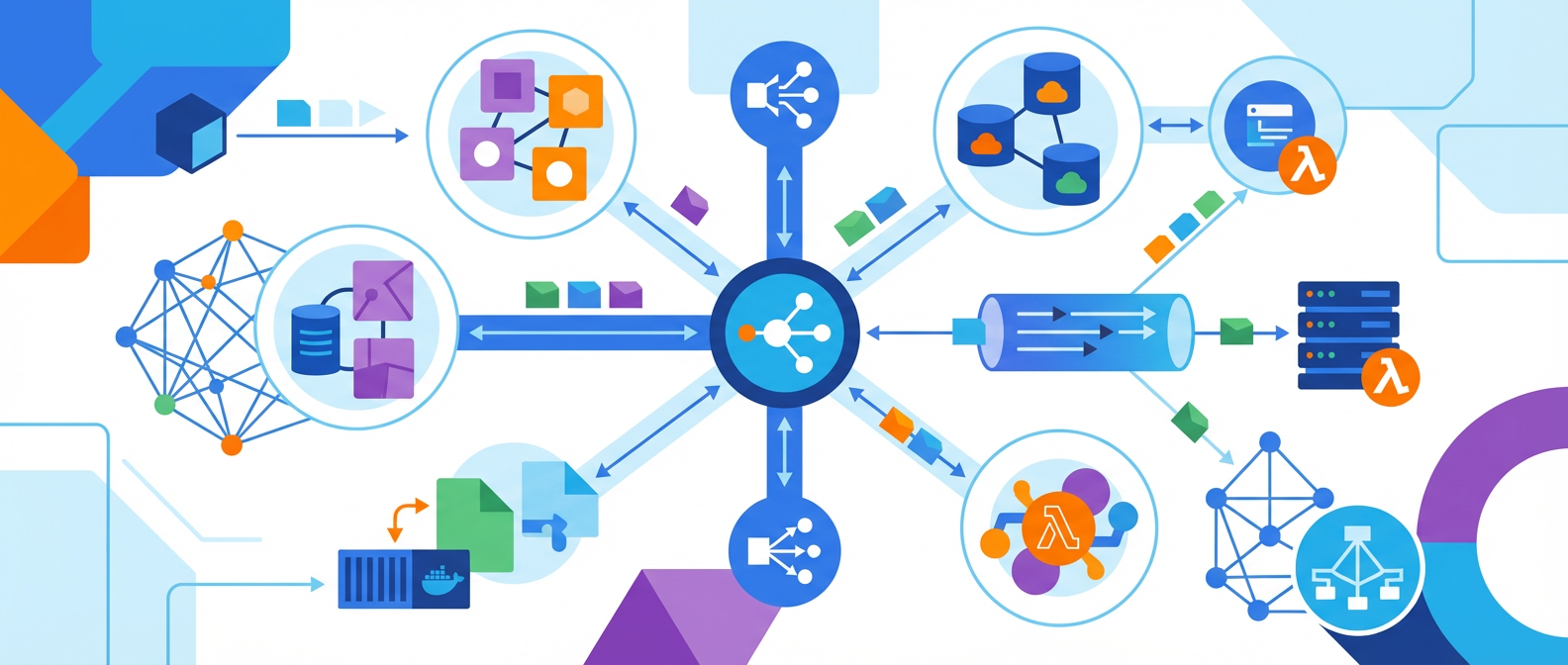
The infrastructure implications are huge. Event stores become the source of truth, while traditional databases become derived views optimized for specific query patterns. PostgreSQL might handle your user lookups, Redis your session cache, and Elasticsearch your search queries. All three stay synchronized by consuming the same event stream. This isn’t eventual consistency by accident. It’s intentional decomposition of concerns.

What makes this pattern particularly compelling is its temporal resilience. Your current read model might be optimized for today’s queries, but next quarter’s analytics requirements won’t force another migration. You’ll build a new projection from the same event history. The cost of being wrong about schema design drops dramatically when schema becomes a view, not the foundation.

Command Query Responsibility Segregation Gets Serious

CQRS used to feel like academic architecture astronautics. That’s changing as read and write scalability requirements diverge at enterprise scale. At GitHub, code pushes generate events consumed by dozens of downstream systems: notification delivery, security scanning, deployment pipelines, and analytics aggregation. The write side focuses on accepting and ordering commands. The read side optimizes for query patterns that couldn’t exist when both lived in the same database.

The operational benefits compound over time. Write-side scaling becomes about event ingestion throughput. Read-side scaling becomes about projection maintenance and query optimization. These are fundamentally different problems requiring different tools and expertise. Your write infrastructure might run on Kafka and EventStore, while your read infrastructure spans PostgreSQL, BigQuery, and specialized vector databases for ML workloads.

This separation also enables failure isolation that traditional CRUD architectures can’t achieve. When GitHub’s code search experiences high latency, it doesn’t impact push operations. The event stream continues flowing while read projections catch up asynchronously. Downtime becomes partial and graceful rather than total and catastrophic.

Saga Patterns for Complex Transactions

Distributed transactions are where most microservice architectures reveal their true complexity. Two-phase commit doesn’t scale across network boundaries or organizational boundaries. Saga patterns are a more resilient alternative by breaking complex operations into sequences of local transactions, each compensatable if later steps fail.

Consider Shopify’s order fulfillment process. Charging payment, reserving inventory, scheduling shipping, and updating customer records happen across different services owned by different teams. A saga orchestrates these steps while maintaining consistency guarantees through compensation rather than locking. If shipping fails after payment succeeds, the saga triggers payment reversal and inventory unreservation automatically.

The implementation complexity shifts from runtime coordination to design-time planning. Each saga step must be idempotent and compensatable. This constraint forces better service boundaries and clearer failure semantics. Teams start thinking about business processes as sequences of state transitions rather than monolithic transactions. The result is more resilient systems that fail predictably and recover automatically.

Looking Forward: Orchestration Becomes Infrastructure

The patterns I’ve described share a common thread: they move complexity from application logic into infrastructure primitives. Event sourcing, CQRS, and sagas are becoming platform capabilities rather than application concerns. Kubernetes operators now manage event store clusters. Service meshes provide built-in saga coordination. Cloud providers offer managed event streaming with exactly-once delivery guarantees.

This infrastructuralization of distributed patterns will accelerate over the next five years. The signal is clear in how major platforms are changing. AWS EventBridge now handles event routing that used to require custom application logic. Google Cloud Workflows provides visual saga orchestration. Azure Service Bus has advanced message ordering and deduplication. These aren’t just convenience features. They’re infrastructure investments in patterns that have proven themselves at scale.

The speculation part: I expect we’ll see specialized databases optimized for event sourcing workloads become as common as traditional OLTP databases. Current event stores like EventStore and Apache Pulsar are early indicators, but purpose-built infrastructure for temporal data patterns will emerge as the default choice for new distributed systems.

Which of these patterns have you seen succeed or fail in production? The theoretical elegance of event sourcing and sagas matters less than their operational reality in your specific context.

The Three Kubernetes Deployment Strategies That Actually Matter in Production

Rolling Updates Are Your Default, Not Your Only Option

Most teams stick with rolling updates because they’re the path of least resistance. Kubernetes handles the orchestration. Pods spin up gradually. Old ones terminate gracefully. Traffic shifts without drama. It works for 80% of production scenarios, which explains why so many engineers never explore alternatives.

The Three Kubernetes Deployment Strategies That Actually Matter in Production

But rolling updates have blind spots that’ll bite you when you least expect it. Database schema changes can break mid-deployment when new code hits old schemas. Stateful applications struggle with mixed versions running simultaneously. Cache invalidation becomes a nightmare when you have pods running different versions of your application logic.

Here’s the thing about treating rolling updates as your universal solution: they optimize for availability over correctness. Sometimes you need the opposite trade-off. Sometimes you need to guarantee that every user sees a consistent version of your application during the transition period. That’s where things get interesting.

Illustration for The Three Kubernetes Deployment Strategies That Actually Matter in Production

Blue-Green Deployments When You Need Atomic Switches

Blue-green deployments solve the consistency problem by maintaining two identical production environments. You deploy to the inactive environment, verify everything works, then switch traffic atomically. It’s elegant in theory and painful in practice if you haven’t planned for the infrastructure costs.

The math is straightforward but unforgiving. You need double the compute resources, double the storage, and double the network capacity during deployments. For applications with large persistent volumes or extensive caching layers, this translates to real money. I’ve seen teams abandon blue-green deployments after the first AWS bill arrived.

Blue-green deployments really shine with applications that have complex initialization procedures or strict consistency requirements. Think financial systems, inventory management, or any application where partial state updates create more problems than brief downtime. The ability to validate your entire stack before switching traffic is worth the infrastructure cost in these scenarios.

Implementation in Kubernetes requires careful service mesh configuration or ingress controller setup. You can’t just flip a switch in a deployment YAML file. You need to orchestrate the traffic routing, typically through tools like Istio, Linkerd, or specialized ingress controllers that support weighted routing. It’s more involved than it sounds.

Canary Deployments for Risk Management

Canary deployments sit in the middle ground between rolling updates and blue-green strategies. You route a small percentage of traffic to the new version while keeping the majority on the stable release. It’s risk management through gradual exposure rather than atomic switches.

The percentage split matters way more than most engineers realize. Starting with 1% traffic sounds conservative, but it’s often too small to detect subtle issues. Database connection pooling problems, memory leaks, or integration failures might not surface until you hit higher traffic volumes. I typically start at 5% and increase in 10% increments, monitoring error rates and response times at each step.

Kubernetes doesn’t provide native canary functionality, which pushes you into the service mesh world. Istio makes this relatively straightforward with VirtualServices and DestinationRules, but the configuration complexity increases dramatically. You’re no longer managing just deployments. You’re orchestrating traffic splitting, header-based routing, and potentially circuit breaking.

The monitoring requirements for canary deployments are absolutely non-negotiable. You need real-time metrics comparing error rates, latency percentiles, and business metrics between versions. Automated rollback triggers based on these metrics prevent small problems from becoming large incidents. Without proper observability, canary deployments become elaborate ways to slowly break production.

Feature Flags Change the Game Entirely

Feature flags decouple deployment from release in ways that make traditional deployment strategies feel primitive. You deploy code with features disabled, then enable functionality through configuration changes. It’s deployment strategy as software design pattern rather than infrastructure orchestration.

The implementation complexity moves into your application code instead of your deployment pipeline. You need flag evaluation logic, fallback mechanisms, and careful state management. But the operational benefits are substantial. Rollbacks become configuration changes rather than redeployments. You can test features on subsets of users without complex traffic routing. Emergency fixes bypass the entire deployment process.

Feature flags work exceptionally well with rolling updates because they eliminate the mixed-version consistency problems. Every pod runs the same code; only the feature configuration differs. This simplifies your deployment pipeline while providing more sophisticated release control than infrastructure-based strategies.

The downside? Technical debt accumulation. Flag cleanup requires discipline that most teams lack. I’ve debugged production issues caused by flag evaluation logic that should have been removed months earlier. Successful feature flag implementations require governance processes and automated cleanup procedures, not just the initial integration.

Choosing Strategy Based on Application Architecture

Your application architecture constrains your deployment strategy choices more than operational preferences. Microservices with database-per-service patterns work well with independent rolling updates. Monoliths with shared databases often require blue-green approaches for schema changes. Event-driven systems might need canary deployments to validate message processing behavior under load.

State management becomes the determining factor in most decisions. Stateless applications give you maximum flexibility. Any strategy works. Applications with local state benefit from blue-green deployments that avoid mixed-version coordination problems. Shared state applications, particularly those with caching layers, often require careful canary rollouts to detect cache coherency issues.

The human factor matters as much as the technical constraints. Rolling updates require minimal operational overhead but offer limited rollback capabilities. Blue-green deployments demand infrastructure investment but provide clean rollback paths. Canary deployments need sophisticated monitoring but offer granular risk control. Feature flags require development discipline but provide maximum flexibility.

There’s no universally correct answer, which is why this decision causes so much debate in architecture reviews. The right strategy depends on your specific application characteristics, operational maturity, and risk tolerance. Most production environments end up using different strategies for different services rather than standardizing on a single approach.

What deployment strategies have you found most effective in your production environments? The edge cases and failure modes are where the real learning happens, and I’m always interested in hearing about the scenarios that forced teams to reconsider their approaches.

Event Sourcing Isn’t the Silver Bullet You Think It Is

The Honeymoon Phase Always Ends

I’ve watched more teams fall in love with event sourcing than I care to count. The pattern looks beautiful on whiteboards. Immutable events. Perfect audit trails. Time travel debugging. What’s not to love? Then reality hits around month six when your event store has grown to 500GB and simple queries take thirty seconds to complete.

Event Sourcing Isn't the Silver Bullet You Think It Is
Event Sourcing Isn’t the Silver Bullet You Think It Is

Event sourcing works brilliantly for specific use cases. I’ve seen it solve complex domain problems that would have been nightmares with traditional CRUD operations. But I’ve also seen it turn straightforward business logic into Rube Goldberg machines that need a PhD to understand. The difference? Knowing when the complexity trade-off actually pays off.

Here’s the uncomfortable truth: most applications don’t need event sourcing. They need good old-fashioned normalized databases with proper indexing and maybe some caching on top. Before you architect your next system around events, ask yourself this: do you actually need to replay your entire application state from the beginning of time, or do you just want better audit logging?

Illustration for Event Sourcing Isn't the Silver Bullet You Think It Is
Illustration for Event Sourcing Isn’t the Silver Bullet You Think It Is

CQRS Without Event Sourcing Is Usually Enough

Command Query Responsibility Segregation gets bundled with event sourcing so often that developers think they’re married. They’re not. CQRS solves a different problem: optimizing reads and writes separately. I’ve built systems where CQRS delivered massive performance gains while keeping the persistence layer refreshingly boring.

Take an e-commerce platform handling thousands of concurrent users browsing products while orders trickle in at a much lower rate. Your read models need denormalized data optimized for search and filtering. Your write models need transactional consistency and business rule enforcement. CQRS lets you optimize both without the operational overhead of rebuilding state from events.

The write side can use traditional relational patterns with proper foreign keys and constraints. The read side can be NoSQL documents, search indexes, or whatever structure makes queries fast. You sync between them using reliable message queues or database triggers. Simple. Debuggable. Scalable.

Microservices Boundaries Matter More Than Your Framework Choice

I’ve debugged distributed systems built on everything from raw TCP sockets to the latest service mesh tech. The technology stack rarely determines success or failure. Bad service boundaries will kill your system whether you’re running on Kubernetes or bare metal.

The hardest lesson I learned came from a microservices migration that took eighteen months instead of six. We carved up a monolith based on technical concerns rather than business domains. Services that should have been talking internally ended up making network calls for operations that used to be simple method calls. Latency exploded. Data consistency became a constant battle.

Domain-driven design isn’t just academic theory. It’s practical guidance for where to put service boundaries. Services should own their data and expose behavior, not just CRUD operations over network APIs. When you find yourself coordinating multiple services for simple business operations, you’ve drawn the boundaries wrong.

Start with bigger services than you think you need. You can always split them later when you understand the domain better. But merging services after you’ve built separate deployment pipelines, monitoring systems, and teams around them? That’s organizational surgery without anesthesia.

Eventual Consistency Requires Careful Design

Distributed systems force you to choose between consistency and availability. Most developers nod along with this statement but don’t truly understand what it means until they’re debugging phantom inventory in production at 2 AM.

Eventual consistency isn’t a binary choice. It’s a spectrum of trade-offs that you need to make explicitly for each piece of data in your system. User profiles can be eventually consistent across regions. Financial transactions usually can’t. The key is designing your system so that temporary inconsistencies don’t break core business flows.

I’ve seen teams implement saga patterns for simple workflows that could have been handled with optimistic locking in a single database. Sagas add complexity. They need careful error handling, compensation logic, and monitoring. Use them when you need cross-service transactions, not because they sound sophisticated.

When you do embrace eventual consistency, make it visible to users. Don’t pretend the system is immediately consistent when it’s not. Show progress indicators. Acknowledge when operations are pending. Give users confidence that their actions are being processed even if the effects aren’t immediately visible.

Operational Complexity Compounds Quickly

Every architectural pattern you add increases your operational surface area. Event sourcing means managing event store performance and retention policies. CQRS means keeping read and write models synchronized. Microservices mean orchestrating deployments across multiple services. The complexity isn’t just additive, it’s multiplicative.

I’ve watched teams spend more time maintaining their distributed architecture than building features. They became experts in Kafka partition rebalancing instead of their actual business domain. There’s nothing wrong with that if you’re building infrastructure products, but most applications exist to solve business problems, not demonstrate architectural sophistication.

Start simple. Add complexity only when you have concrete evidence that simpler approaches won’t work. Measure everything. If you can’t explain why a particular architectural choice exists in terms of specific performance requirements or business constraints, you probably don’t need it.

The best distributed systems I’ve worked with feel boring to maintain. They handle millions of requests without drama. They fail gracefully when components go down. They scale predictably when load increases. Boring is good. Boring means you’re solving business problems instead of infrastructure problems.

What architectural decisions have you questioned after living with them in production? I’d love to hear about the complexity trade-offs that surprised you, either positively or negatively.

The Three Pipeline Principles That Actually Matter (And Why Most Teams Get Them Wrong)

Fast Feedback Loops Beat Perfect Coverage Every Time

After watching dozens of teams struggle with their CI/CD implementations, I’ve noticed something. The ones that succeed don’t obsess over achieving 100% test coverage or building the most sophisticated deployment strategies. They focus relentlessly on feedback speed. A pipeline that tells you within three minutes that your change broke something will always outperform one that takes thirty minutes to deliver perfect information.

The Three Pipeline Principles That Actually Matter (And Why Most Teams Get Them Wrong)

The math is simple but brutal. If your feedback loop takes half an hour, developers switch away from their changes. They start working on something else. When the pipeline finally reports a failure, they need five to ten minutes just to remember what they were doing. That mental overhead compounds across every failed build, every flaky test, every deployment hiccup.

I’ve seen teams achieve remarkable stability with test suites that cover maybe 60% of their codebase, simply because those tests run in under two minutes. The developers actually wait for the results. They fix issues immediately. Compare that to teams with 95% coverage that takes twenty minutes to execute. Developers ignore those results, stack changes on top of broken commits, and spend their mornings untangling integration failures.

The sweet spot is around the three-minute mark for your core feedback loop. Anything faster is gold. Anything slower starts eroding developer behavior in ways that matter. Build your pipeline architecture around this constraint first, then optimize for everything else.

Illustration for The Three Pipeline Principles That Actually Matter (And Why Most Teams Get Them Wrong)

Deployment Should Be Boring

The most reliable deployments I’ve witnessed feel almost mundane. No war rooms. No special ceremonies. No holding your breath while watching metrics dashboards. Just a routine operation that happens dozens of times per day without anyone paying particular attention.

This boring quality doesn’t emerge by accident. It requires deliberate architectural choices that most teams skip in their rush to ship features. Blue-green deployments, feature flags, and proper health checks aren’t exciting technologies, but they transform deployment from a high-stakes event into routine maintenance.

Feature flags deserve special mention here because they solve the coordination problem that kills most deployment strategies. Instead of timing code releases with business requirements, you ship code continuously and activate features independently. Marketing wants to announce the new dashboard on Thursday? Great. The code deployed on Monday, Tuesday, and Wednesday. You flip the flag Thursday morning and grab coffee.

I’ve worked with teams that deploy forty times per day because they’ve made deployment boring. Their error rates are lower than teams that deploy weekly. Their mean time to recovery is measured in minutes, not hours. When deployment becomes routine, you get good at it. When it’s a special event, it stays dangerous.

Environment Consistency Matters More Than Environment Count

Most organizations approach environments backwards. They create elaborate promotion workflows through development, staging, pre-production, and production environments, each with slightly different configurations. Then they wonder why issues appear in production that never surfaced during testing.

The number of environments doesn’t improve quality. Configuration consistency does. I’ve seen two-environment setups outperform six-environment workflows because the two environments actually matched each other. Same operating system versions, same dependency versions, same resource constraints, same monitoring configuration.

Infrastructure as code isn’t optional for this approach. Your environments should emerge from identical scripts, with only minimal parameter differences for resource scaling. When a developer can spin up a production-equivalent environment on their laptop, you’ve achieved something valuable. When your staging environment requires a different deployment process than production, you’re testing the wrong thing.

The best pipeline design I’ve implemented used just three environments: development branches that developers could create on demand, a shared integration environment that mirrored production exactly, and production itself. Each environment used identical infrastructure code. The integration environment caught configuration issues that would have slipped through more traditional staging setups because it didn’t just approximate production, it replicated it.

Observability Must Be Built Into the Pipeline

Your CI/CD pipeline will fail. Not might fail, will fail. The question isn’t whether you’ll experience pipeline failures, but whether you’ll understand them quickly enough to maintain developer confidence. Teams that treat observability as an afterthought end up with pipelines that become black boxes when they break.

Good pipeline observability starts with structured logging that connects every stage of your build and deployment process. When a deployment fails, you should be able to trace the problem through build logs, test results, deployment scripts, and application health checks without jumping between different tools or searching through unstructured text files.

Metrics matter just as much as logs. Track build times, test suite duration, deployment frequency, and failure rates. But also track developer experience metrics like the time between commit and feedback, the number of commits per successful deployment, and the frequency of pipeline-related support requests. These numbers tell you whether your pipeline is helping or hindering your team’s productivity.

I always instrument pipelines to answer three questions immediately when something breaks: What failed? Why did it fail? How can we prevent this specific failure mode? The teams that can answer these questions in under five minutes maintain developer trust even through significant outages. The ones that can’t lose credibility with every unexplained failure.

These principles might seem obvious in isolation, but implementing them consistently requires discipline and organizational support. The payoff shows up in deployment confidence, developer productivity, and system reliability. If you’re designing a new pipeline or renovating an existing one, I’d love to hear about your specific challenges and constraints. The details always matter more than the theory.

Microservices Communication: The Protocols That Actually Matter in Production

Start With HTTP REST Because You Already Know It

When you’re moving from a monolith to microservices, your first instinct might be to research exotic communication protocols. Don’t. Start with what you know: HTTP REST. I’ve seen teams waste months evaluating gRPC, message queues, and GraphQL before they’ve even successfully split their first service. That’s backwards thinking.

Microservices Communication: The Protocols That Actually Matter in Production

HTTP REST works because your existing infrastructure already supports it. Your load balancers understand it. Your monitoring tools can parse it. Your team can debug it with curl. More importantly, when something breaks at 2 AM, you won’t be fumbling through protocol documentation while your site is down.

Build your first three services using plain HTTP REST with JSON. Focus on getting the service boundaries right, not the communication protocol. You’ll learn more about distributed systems in those first few weeks than you will from any protocol optimization. Once you have services talking to each other reliably, then you can optimize.

Illustration for Microservices Communication: The Protocols That Actually Matter in Production

When HTTP Isn’t Enough: The Message Queue Decision

You’ll know you need asynchronous communication when you find yourself writing retry logic for everything. If Service A needs to tell Service B something happened, but doesn’t need to wait for a response, that’s your signal. This is where message queues like RabbitMQ or cloud solutions like AWS SQS become valuable.

The pattern I recommend for beginners is straightforward: use REST for queries where you need immediate responses, and queues for commands where eventual consistency is acceptable. Order processing is a perfect example. When a user places an order, you can immediately return success to them while the actual fulfillment happens asynchronously through queues.

Start with a managed queue service if possible. Setting up RabbitMQ clusters correctly is a skill unto itself, and you’re trying to learn microservices communication, not become a message broker expert. AWS SQS or Google Cloud Pub/Sub will handle the infrastructure complexity while you focus on the communication patterns.

One thing I learned the hard way: always include correlation IDs in your messages. When you’re debugging why an order didn’t process, being able to trace a single request across multiple services and queue hops will save your sanity. Trust me on this one.

gRPC: When Performance Actually Matters

Don’t reach for gRPC because it sounds modern. Reach for it when HTTP REST becomes a measurable bottleneck. I typically see this happen when services are making hundreds of calls per second between each other, or when you’re dealing with large payloads that benefit from Protocol Buffer serialization.

The sweet spot for gRPC is internal service-to-service communication where you control both ends. The type safety from Protocol Buffers catches errors at compile time that would otherwise surface as runtime bugs. The performance improvement is real, but it comes with complexity costs that beginners underestimate.

If you decide to try gRPC, start with one pair of services that communicate frequently. Convert their REST calls to gRPC and measure the difference. Don’t try to convert everything at once. The learning curve for debugging gRPC issues is steeper than HTTP, especially around networking and load balancing.

Event-Driven Architecture: The Advanced Pattern

Event-driven communication is powerful but introduces complexity that can overwhelm teams new to microservices. The basic idea is that services publish events when something significant happens, and other services subscribe to those events. This creates loose coupling between services, which is exactly what you want in a mature microservices architecture.

The challenge is that event-driven systems are harder to reason about. With REST calls, you can follow the request path directly. With events, you need to understand which services are listening to which events, and the order of operations becomes less predictable. This makes debugging more difficult.

I recommend introducing events gradually. Start with domain events that represent business milestones: “OrderPlaced”, “PaymentProcessed”, “ShipmentCreated”. These events often have clear business value and are easier to understand than technical events. Use them to decouple services that don’t need tight consistency.

Apache Kafka is the gold standard for event streaming, but it’s complex to operate. If you’re on AWS, consider Kinesis or EventBridge. For smaller systems, even a simple queue can publish events that multiple services consume.

The Protocol Decision Framework

Here’s the decision framework I use when choosing communication protocols. For synchronous communication where you need a response, start with HTTP REST. Consider gRPC only when performance measurements show HTTP is insufficient. For asynchronous communication, start with simple message queues. Move to event streaming when you need multiple consumers for the same message.

The most important principle is consistency within your system. Don’t use different protocols for similar use cases just because you can. If you’re using HTTP REST for user queries, use HTTP REST for admin queries too. Consistency reduces cognitive load and makes your system easier to maintain.

Changing communication protocols later is entirely possible. I’ve seen systems evolve from REST to gRPC to events as they matured. The key is making these changes deliberately based on measured needs, not theoretical benefits.

Communication protocols are just tools. The real challenge in microservices is designing good service boundaries and handling partial failures gracefully. Master those fundamentals first, and the protocol choices become much clearer. What communication challenges are you facing in your microservices journey? The specific problems you’re trying to solve will guide you toward the right solutions.

Database Optimization Theater: Why Your Performance Fixes Aren’t Working

The Index Mythology That Won’t Die

Every week, some well-meaning developer discovers database performance optimization and promptly starts adding indexes to everything that moves. I’ve seen production tables with fifteen indexes on twelve columns, each one added by someone who read that indexes make queries faster. The performance didn’t improve. Sometimes it got worse.

Here’s what actually happens when you throw indexes at a wall. Each additional index needs maintenance during writes. Your INSERT statements slow down because the database engine has to update multiple index structures. Your disk usage explodes. Query planner gets confused by too many options and starts making bad choices. I’ve debugged systems where removing indexes improved performance more than adding them ever did.

The real work happens in understanding query execution plans. Not the pretty diagrams that database tools generate, but the actual cost estimates and row counts. When PostgreSQL tells you it’s doing a sequential scan on a million-row table, that’s not always wrong. Sometimes the selectivity is so poor that an index scan would need more disk seeks than just reading the whole table linearly.

Connection Pool Cargo Culting

Connection pooling has become the database equivalent of “have you tried turning it off and on again.” Teams implement HikariCP or pgbouncer without understanding what problem they’re actually solving. I’ve seen applications with connection pools configured for 200 connections hitting databases that perform best with 20.

Database servers aren’t web servers. They don’t scale horizontally by adding more connections. PostgreSQL, for instance, creates a separate process for each connection. More processes mean more context switching, more memory overhead, and more lock contention. Oracle handles this differently with its shared server architecture, but the principle remains: connections are expensive resources.

The sweet spot for connection count depends on your storage subsystem, not your application load. If you’re running on spinning disks, you probably want fewer connections than you think. SSDs change the equation, but not in the way most people assume. I’ve seen properly tuned single-connection workloads beat multi-connection chaos by orders of magnitude.

The Query Optimization Arms Race

Query optimization advice tends to focus on SQL gymnastics while ignoring fundamental data modeling problems. You can’t optimize your way out of a poorly normalized schema or wrong data types. I’ve watched teams spend weeks crafting elaborate CTE structures when the real issue was storing JSON in text fields and parsing it at query time.

Subquery rewriting gets treated like some kind of dark art. Move the subquery to a JOIN. Convert the EXISTS to an IN. Use window functions instead of correlated subqueries. These transformations work sometimes, but modern query optimizers already do most of these rewrites automatically. PostgreSQL’s optimizer has been doing subquery flattening since version 8.4.

The performance gains come from understanding data distribution and cardinality estimation. When your query planner estimates 1,000 rows but gets 100,000, no amount of SQL rewriting will fix the resulting performance disaster. Accurate statistics matter more than clever syntax. Run ANALYZE. Update your histogram bounds. Understand how your optimizer makes decisions based on the statistics it has available.

Hardware Theater and Configuration Mythology

Database performance discussions always turn into hardware specifications and configuration parameter tuning. More RAM, faster SSDs, increase shared_buffers, tune work_mem. These changes might help, but they’re treating symptoms rather than causes.

I’ve seen databases perform poorly on high-end hardware because the application was making fundamentally inefficient data access patterns. Fetching records one at a time in a loop instead of using batch operations. Running thousands of identical queries with different parameters instead of using prepared statements properly. No amount of RAM will fix an N+1 query problem.

Configuration tuning follows the same pattern. Teams obsess over buffer pool sizes and checkpoint intervals while ignoring obvious inefficiencies in their data access patterns. PostgreSQL’s default configuration works reasonably well for many workloads. MySQL’s defaults are more conservative but rarely the bottleneck. The real performance problems usually live in the application layer, not the database configuration.

Measuring What Actually Matters

Database performance monitoring tools generate impressive dashboards full of metrics that don’t relate to user experience. Query throughput, connection counts, buffer hit ratios. These numbers look scientific, but they often miss the actual performance problems.

Response time distribution tells you more than average query duration ever will. Your 95th percentile latency might be fine while your 99th percentile is terrible. A handful of bad queries can make aggregate metrics look healthy while users experience timeouts and errors. I’ve debugged production systems where average query time was 50 milliseconds, but 1% of queries took over 30 seconds.

Lock contention shows up in wait event analysis, not in CPU graphs. Hot blocks, buffer busy waits, and lock acquisition patterns reveal bottlenecks that don’t appear in traditional system monitoring. PostgreSQL’s pg_stat_statements extension and MySQL’s Performance Schema provide this level of detail, but most teams never look beyond basic resource utilization.

Real performance optimization takes discipline and measurement. It means profiling your actual workload, understanding your data access patterns, and making targeted changes based on evidence rather than folklore. The database optimization world is full of silver bullets that turned out to be blanks.

What’s your experience been with database performance optimization? Have you run into other examples of conventional wisdom that didn’t hold up under scrutiny? I’m particularly interested in hearing about cases where counterintuitive approaches actually worked in production environments.

Building Your First Mentorship Framework as a Senior Engineer

Why Most Senior Engineers Struggle with Mentorship

You know the systems inside and out. You can debug a race condition at 2 AM while half asleep. But when that new junior developer asks how you approach problem-solving, you suddenly sound like you’re reading from a manual. This disconnect happens because we assume teaching follows the same patterns as building software. It doesn’t.

Building Your First Mentorship Framework as a Senior Engineer

Mentorship requires a completely different mental model. When you’re deep in complex systems work, your brain operates in layers of abstraction that took years to develop. A junior developer hasn’t built those layers yet. They’re seeing the same codebase through completely different cognitive structures. Understanding this gap is where effective mentorship begins.

Most senior engineers either over-explain everything or assume too much context. I’ve watched brilliant architects lose junior developers in the first ten minutes by diving straight into system design patterns. The sweet spot is starting with shared understanding, then building complexity one step at a time. Think of it like designing an API with clear contracts and predictable behavior.

Illustration for Building Your First Mentorship Framework as a Senior Engineer

The Three-Layer Mentorship Model

After years of trial and error, I’ve settled on what I call the three-layer approach. The foundation layer focuses on immediate, tactical skills. This means pairing on actual work, showing debugging techniques, and explaining code review feedback in real-time. Don’t just point out issues. Walk through your thought process as you identify them.

The middle layer addresses broader technical concepts. This includes system design principles, architectural patterns, and technology trade-offs. But here’s the part that matters: always tie these concepts back to code they’re actually working with. Abstract discussions about microservices architecture mean nothing until they’re debugging a service mesh timeout in production.

The top layer covers career and organizational navigation. This includes understanding team dynamics, communicating with stakeholders, and making technical decisions when you don’t have all the information. These skills often determine long-term success more than pure technical ability, yet they’re rarely taught explicitly.

Start with Code Reviews That Actually Teach

Code reviews are your highest-leverage mentorship opportunity, but most seniors waste them. Instead of just flagging issues, use reviews to show your thinking process. When you spot a potential performance problem, don’t just say “this will be slow.” Explain how you recognized the pattern, what specific conditions would trigger the issue, and how you’d approach optimization.

Create a review template that includes context questions. Ask the developer to explain their approach before diving into line-by-line feedback. This helps you understand their mental model and adjust your guidance accordingly. A junior developer who’s confused about database indexing needs different feedback than one who understands the concept but missed an edge case.

Make your reviews asynchronous but available for follow-up. Leave detailed comments that stand alone, but offer quick calls to discuss complex topics. Some architectural decisions can’t be fully explained in text. A five-minute screen share often clarifies what would take twenty comment exchanges.

Track patterns in your feedback over time. If you’re repeatedly explaining the same concepts, that signals a gap in foundational knowledge. Address these systematically rather than reactively. Create or find resources that explain these concepts clearly, then reference them in future reviews.

Build Debugging Skills Through Structured Problem-Solving

Debugging is where experience shows most clearly. It’s also where junior developers often feel most lost. Instead of solving problems for them, narrate your debugging process step by step. Start with hypothesis formation. What do you suspect based on the symptoms? Why? What would you expect to see if that hypothesis is correct?

Teach them to gather evidence systematically. Show how you read logs, trace through execution paths, and isolate variables. This sounds obvious, but junior developers often jump between different debugging approaches without a clear methodology. Give them a framework they can follow consistently.

Create debugging exercises using real issues from your codebase. Take a resolved bug, reproduce the conditions, and walk through the investigation together. This is more valuable than theoretical examples because it shows how debugging applies to your specific technology stack and system architecture.

Most importantly, show them how to know when to stop. Junior developers often over-investigate or get stuck in rabbit holes. Teach them to recognize when they have enough information to implement a fix, and when they should escalate for help. Time-boxing investigation phases prevents endless debugging cycles.

Create Safe Spaces for Technical Growth

The best technical learning happens when people feel safe to experiment and fail. This means creating environments where junior developers can break things without consequences. Set up development environments that mirror production but can be reset quickly. Give them ownership over non-critical features where mistakes won’t impact users.

Establish regular one-on-ones focused on technical growth rather than project status. Ask about what they’re learning, what concepts are unclear, and what interests them most. These conversations often reveal knowledge gaps that don’t surface in daily work. They also help you understand their career goals and adjust mentorship accordingly.

Introduce complexity gradually through increasingly challenging assignments. Start with well-defined features, then move to bug fixes, then to investigative work, and finally to open-ended problems. Each step builds confidence while expanding their technical toolkit. The sweet spot is ensuring they’re stretched but not overwhelmed.

Document your team’s technical standards and decision-making processes. This gives junior developers a reference for understanding not just what you do, but why you do it. Include examples of good and bad implementations, with explanations of the trade-offs involved. This helps them internalize the thinking patterns that drive architectural decisions.

Effective mentorship changes both the mentor and the mentee. Teaching forces you to articulate knowledge you’ve internalized, often revealing gaps in your own understanding. If you’re interested in developing these skills further or want to share your own mentorship experiences, I’d love to continue the conversation. The best mentorship approaches evolve through shared learning and honest reflection on what actually works in practice.

API Versioning in 2025: Beyond REST and the Rise of Contract-First Design

The Versioning Reality Check: What Actually Works

After spending fifteen years building APIs that power everything from mobile banking to supply chain orchestration, I’ve watched versioning strategies evolve from afterthoughts to something people actually think about upfront. The harsh reality? Most teams still treat versioning as a deployment problem rather than a design constraint. They ship v1, realize they need breaking changes, slap on v2 headers, and wonder why their mobile apps crash in production.

API Versioning in 2025: Beyond REST and the Rise of Contract-First Design

The signal is clear from successful API programs at companies like Stripe, GitHub, and Shopify: versioning isn’t a technical decision. It’s a product strategy that determines whether your API becomes platform infrastructure or technical debt. The difference is treating your API contract as immutable law, not a rough draft.

Here’s what works in practice. URL versioning is still the most predictable approach for external APIs, despite the REST purists’ objections. When Slack moved from webhook v1 to v2, they used clear URL paths like `/api/v2/webhooks` because developers could grep their codebases and find every integration point. Header-based versioning sounds elegant until you’re debugging a production incident at 3 AM and can’t tell which version a request used from your access logs.

Contract-First Architecture: The New Baseline

The industry shift toward contract-first API design is more than tooling evolution. It’s a fundamental rethinking of how we build distributed systems. OpenAPI specifications, once nice-to-have documentation, now drive code generation, testing, and deployment pipelines. Teams using tools like Spectral for linting and Prism for mocking report 40% fewer integration bugs in production.

What makes this approach work is the forcing function it creates. When your API contract must be defined before a single line of implementation code gets written, breaking changes become impossible to ignore. You start designing for extension rather than modification. I’ve seen teams reduce their major version releases from quarterly to annual cycles simply by investing two weeks upfront in contract design workshops.

The tooling has gotten really good. AsyncAPI for event-driven architectures, GraphQL schemas for query flexibility, and Protocol Buffers for performance-critical services all enforce contract-first thinking. More importantly, they generate artifacts that make versioning explicit rather than implicit. Your CI pipeline either passes schema compatibility checks or your deployment fails. No exceptions.

Event-Driven Versioning: The Emerging Pattern

Traditional request-response versioning breaks down in event-driven architectures. When you’re publishing events to message queues or streaming platforms, you can’t negotiate API versions like HTTP allows. The solution emerging from companies building at scale involves embedding schema evolution directly into event payloads using formats like Apache Avro or Protocol Buffers.

The pattern works by treating each event type as an independent contract with its own evolution rules. Consumer applications declare their minimum required schema version, and producers ensure backward compatibility within defined windows. Confluent’s Schema Registry popularized this approach, but I’m seeing similar patterns in AWS EventBridge and Azure Service Bus implementations.

What excites me about this trend is its natural alignment with microservices reality. Services evolve independently, deploy independently, and now version independently. Here’s what I think happens next: event-driven versioning will influence how we design synchronous APIs. I expect to see more APIs adopting payload-level versioning even for REST endpoints by 2026.

The AI-Driven API Lifecycle

Large language models are reshaping API development workflows in ways most teams haven’t recognized yet. GitHub Copilot and similar tools excel at generating boilerplate API code, but their real impact is in consistency enforcement. When an AI assistant helps implement your API endpoints, it naturally follows the patterns established in your existing codebase, reducing accidental breaking changes.

More intriguingly, AI tools are becoming sophisticated enough to suggest versioning strategies based on code analysis. Tools like OpenAI’s Codex can analyze your API surface area and flag potential breaking changes before they reach production. This isn’t speculation anymore. I’ve tested prototypes that successfully identified 85% of breaking changes in a complex GraphQL schema by analyzing resolver implementations.

The next step involves automated compatibility testing powered by LLMs. Instead of maintaining extensive test suites for every API version, AI systems could generate compatibility tests dynamically based on contract changes. Early experiments using GPT-4 to generate integration tests from OpenAPI diffs show promising results, though production readiness is still 12-18 months away.

Platform Engineering Meets API Governance

The platform engineering movement directly impacts API versioning strategies. Internal developer platforms increasingly provide API gateways, schema registries, and versioning policies as managed services. Teams no longer choose their versioning strategy in isolation. Platform teams enforce organization-wide standards through infrastructure constraints.

This centralization enables sophisticated versioning policies that were previously impossible to implement consistently. Automatic deprecation timelines, consumer impact analysis, and coordinated migration tooling become platform capabilities rather than team responsibilities. Companies like Netflix and Uber report significant reductions in API sprawl after implementing platform-enforced versioning standards.

The emerging pattern involves treating API versions as infrastructure resources with defined lifecycles. Platform teams provide self-service tooling for version creation, promotion, and retirement, while maintaining centralized visibility into version usage across the organization. This approach scales organizational knowledge rather than requiring every team to become API design experts.

The versioning strategies that survive the next five years will balance technical elegance with operational reality. Contract-first design provides the foundation, but success depends on tooling, governance, and team practices that make good versioning decisions the easy decisions. I’m curious about your experiences with API versioning in complex systems, particularly around event-driven architectures and platform engineering approaches.

Infrastructure as Code: The Hard-Won Lessons That Actually Matter

Start Small, Think Big, but Actually Start Small

Every infrastructure-as-code journey begins with grand ambitions. You’ll automate everything. Every server, every load balancer, every DNS record will be declared in pristine YAML or HCL. This is a mistake I’ve watched teams make repeatedly, and one I made myself early on.

Infrastructure as Code: The Hard-Won Lessons That Actually Matter

The reality is that IaC adoption works best when you pick one well-understood piece of infrastructure and nail it completely. Choose something with clear boundaries, maybe your application load balancers or your RDS instances. Get the state management right. Figure out your module structure. Work through the inevitable credential and permission headaches. Then expand to the next component.

I’ve seen more IaC initiatives fail from trying to automate everything at once than from any technical limitation. The teams that succeed are the ones that ship working infrastructure code for one thing, then methodically expand their scope. The tooling can handle enterprise complexity, but your team needs time to build the operational muscle memory. Plus, you’ll discover quirks and gotchas that are much easier to solve when you’re focused on one piece at a time.

Illustration for Infrastructure as Code: The Hard-Won Lessons That Actually Matter

State Files Are Your Single Point of Failure

Let’s talk about the elephant in the room: state management. Whether you’re using Terraform, Pulumi, or something else, your state file is the source of truth about what actually exists in your infrastructure. Lose it, corrupt it, or have two people modify it at the same time, and you’re in for a world of pain.

Remote state backends aren’t optional, they’re mandatory from day one. I don’t care if you’re just experimenting. Set up S3 with DynamoDB locking, or use Terraform Cloud, or whatever your platform’s equivalent is. The local state file on your laptop is a ticking time bomb. I’ve wasted too many hours reconstructing infrastructure because someone thought they’d “just test something quickly” with local state.

State file versioning and backup strategies matter more than most people realize. Enable versioning on your remote backend. Set up automated backups. Have a runbook for state file recovery. You’ll thank yourself when something goes wrong, and trust me, something will go wrong.

Modules and Composition: Where Good Intentions Go to Die

The module pattern is tempting. Create reusable components, promote consistency, reduce duplication. In theory, it’s beautiful. In practice, it’s where most IaC codebases turn into unmaintainable messes.

The problem isn’t modules themselves, it’s premature abstraction. Teams create modules before they understand the problem space. They build generic “compute modules” that take forty-seven input variables and try to handle every possible use case. Six months later, you’re passing null values to half the variables and wondering why your simple web server declaration looks like a spacecraft launch checklist.

My rule: don’t create a module until you’ve written the same configuration three times in three different contexts. When you do create modules, build specific, purpose-built ones instead of generic ones. A “web-app-infrastructure” module that handles exactly the load balancer, security groups, and auto-scaling configuration for your web applications is infinitely more useful than a “compute” module that can theoretically provision anything.

Version your modules aggressively. Use semantic versioning. Pin to specific versions in your configurations. Module updates should be conscious decisions, not surprises that break your production deployment on Tuesday afternoon.

The Testing Problem Nobody Wants to Talk About

Testing infrastructure code is hard. Really hard. Unit testing a Terraform module feels like testing a JSON file, you’re mostly validating syntax and structure. The interesting failures happen when your code interacts with the actual cloud provider APIs, deals with eventual consistency, or runs into regional availability constraints.

Integration testing is where the real value lives, but it’s expensive and slow. Spinning up actual infrastructure to test your code means dealing with resource quotas, cleanup procedures, and test isolation. It also means your test suite might cost more to run than your actual infrastructure. I’ve seen teams spend hundreds of dollars a month just running tests.

The pragmatic approach I’ve settled on: extensive validation and planning steps, combined with careful staging environments and feature flags. Use your IaC tooling’s built-in validation. Write tests that verify your modules generate sensible plans. Deploy to a staging environment that mirrors production as closely as possible. Use feature flags or blue-green deployments to reduce the blast radius of changes.

Don’t let perfect be the enemy of good here. Some testing is infinitely better than no testing, even if you can’t achieve the same coverage you’d get with application code.

Security and Secrets: The Details That Matter

Secrets management in IaC is where security hygiene meets operational reality. Hardcoding secrets in your configuration files is obviously wrong, but the right approach isn’t always obvious. Environment variables work for simple cases but become unwieldy at scale. External secret stores are the right answer, but add operational complexity.

The pattern that’s worked best in my experience: use your IaC tooling to create the infrastructure for secrets (the KMS keys, the secret stores, the IAM roles), but don’t use it to manage the secret values themselves. Let your applications pull secrets at runtime from dedicated secret management services. This separates infrastructure provisioning from secret rotation and reduces the surface area for accidental exposure.

Pay attention to your IaC tooling’s plan and apply outputs. Sensitive values can leak into logs, especially in CI/CD systems. Use your tooling’s sensitivity markers. Review your pipeline logs. Set up log retention and access controls.

These aren’t just best practices, they’re the lessons learned from real incidents. I’ve seen teams leak database passwords into build logs, and I’ve seen state files with hardcoded API keys checked into public repositories. The devil is in the details when it comes to IaC security.

What’s your experience been with infrastructure as code? I’m particularly interested in hearing about the unexpected challenges you’ve encountered, especially around team adoption and operational procedures. The technical problems are usually solvable, it’s the human and process problems that tend to be more interesting.

Page 12 of 14

Powered by WordPress & Theme by Anders Norén